Designing Your Audit in TreeAMS
The following structure is used to create an Audit.
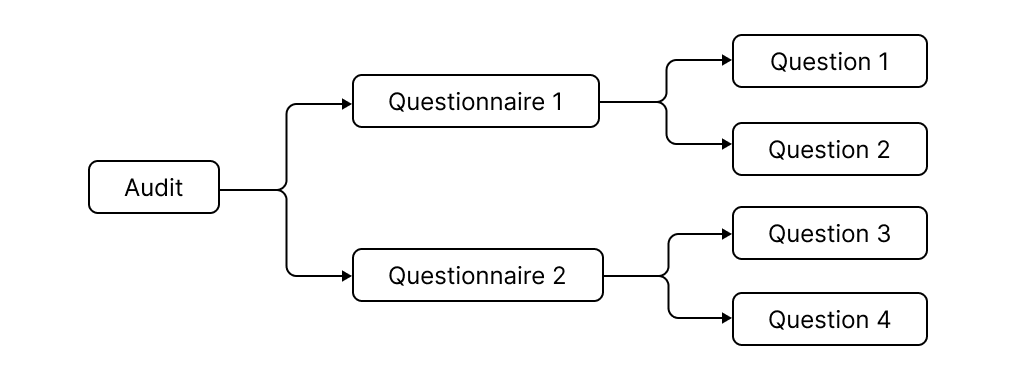
A Checklist or an Audit in TreeAMS consists of multiple quizzes that can contain various questions. We will take you step-by-step on how to design your Audit in TreeAMS but first, let us understand how to map parts of your audit to TreeAMS.
One example of an Audit for an F&B outlet might include more than one area of assessment such as Store Cleanliness and Food Safety Practices. Within each area of assessment, there can be a further breakdown into the locations audited.
To learn how to design your audit in TreeAMS, you have to know which part of your audit falls into which part of the TreeAMS audit system. An example of an Audit mapped to parts of TreeAMS is shown:
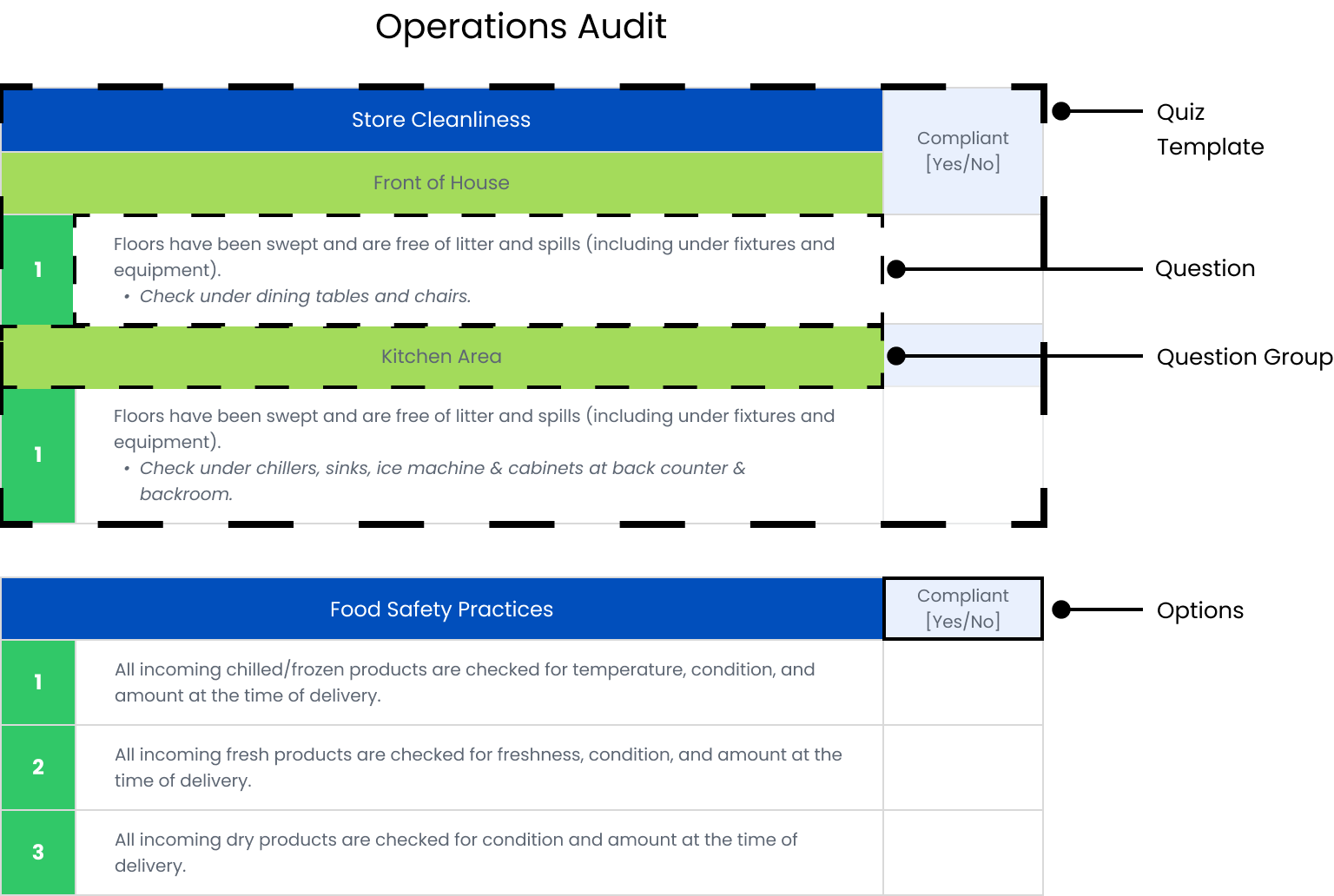
In this Operations Audit, the Store Cleanliness and Food Safety Practices audit categories are known as Quiz Template.
In the Store Cleanliness audit category, there may be various locations to be audited hence these locations, Front of House and Kitchen Area, are known as the Question Group.
There questions within the audit are known as Question and the answer options (e.g., 5-star rating, Yes/No) are known as Option.
Once you have identified the corresponding parts of your Checklist and Audit with the ones in TreeAMS, let us get started!