Assigning a Manual
Get your staff to read, conduct a quiz, or sign off against the contents (a module) within a Manual.
Manuals that have been created will be made visible to users who are under the specified entities.
The Company Access Network that was set up previously in each module allows for restricted viewing of modules within a Manual.
Go to Manuals Library -> Manuals.
Search for the Module within the Manual that you want to assign to your staffs by clicking into the Sections and Sub-sections within your Manual.
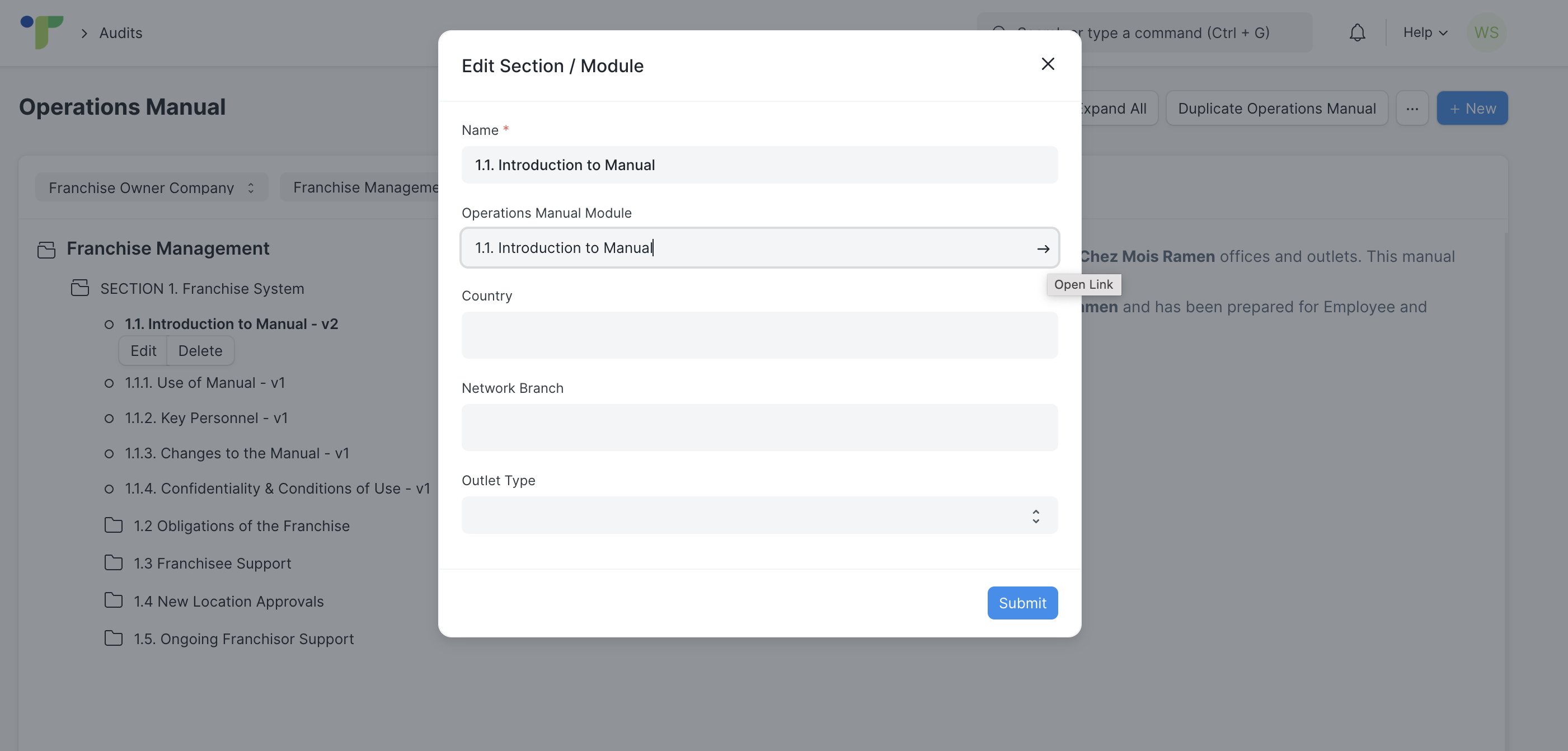
Click on Edit for the module that you want to assign. Then, click on the second field and click on the arrow button that appears.
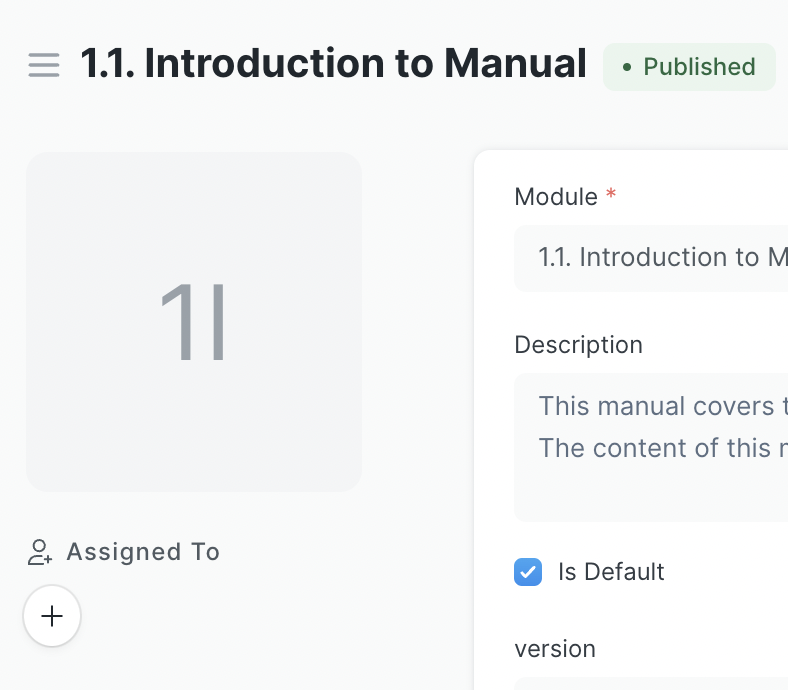
Click on the + button to assign the module.
This pop-up will appear. The 'Company' and 'Network Branch' is pre-filled from the Company Network Access that you have specified previously in the module. Click on Add Row button in the 'Users' field, then select the filtered users from the list. Click on the Add button for the users to populate the 'Selected Users' table. Then, click Assign for this module to be assigned to them.

*Note: For the staff to conduct a quiz, a quiz has to first be attached in the module before publishing (refer to this article on How to Create a New Version of a Module if you have already published this module without attaching the Quiz)